


Let us demonstrate some Infrafon CC2 functions. In real life you connect CC2 with your applications. We suggest you to replace your single-purpose device, maybe a pager or a DECT phone. You may also find your smartphone expensive and difficult to use, get inspired by these CC2 demo videos below. From duress alarms and pager replacement to NFC eID and Fido2 access control, Voice over IP, Speech-to-Text interface and staff management, every 3rd party application and function can be connected by API / MQTT and managed centrally by the operator via the IES platform. Forget Android apps and operating system update problems. Infrafon is a versatile sub-smartphone platform for your applications.
For the voice recording we have two options, either directly reccord on the device (which is currently limited by the available space to around 10 sec) or to stream to a pbx server. Choosing the second option, we will recycle some bits from the voice call data view and modify them a bit. We will use the call function while only activating and recording the microphone channel input.
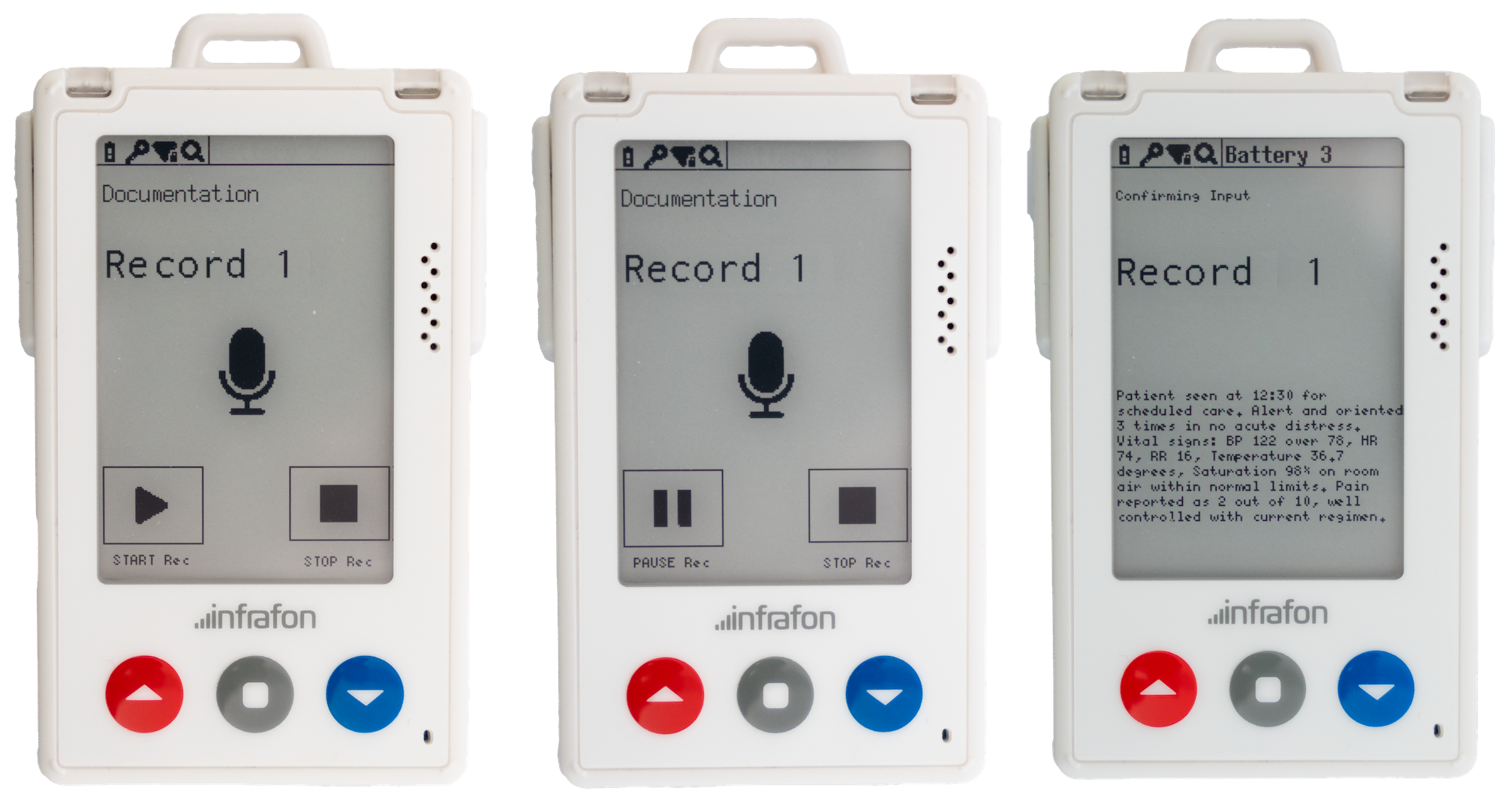
The start button will initiate a voice call to our pbx server, where the microphone input is recorded. Pause will just mute the mic temporarily and Stop will end the call triggering the Voice2text flow. Since the user would certainly like to verify the input, after translating the voice reccording into text, we will send the text back to another page of the data view for the user to be able to confirm the reccording.
Instead of bridging the call to another SIP endpoint, the dialplan sends it to a recording application on the PBX. From there it's the same pattern as the messaging functions: a phyton script picks up the finished recording, and MQTT carries the result back to the device.
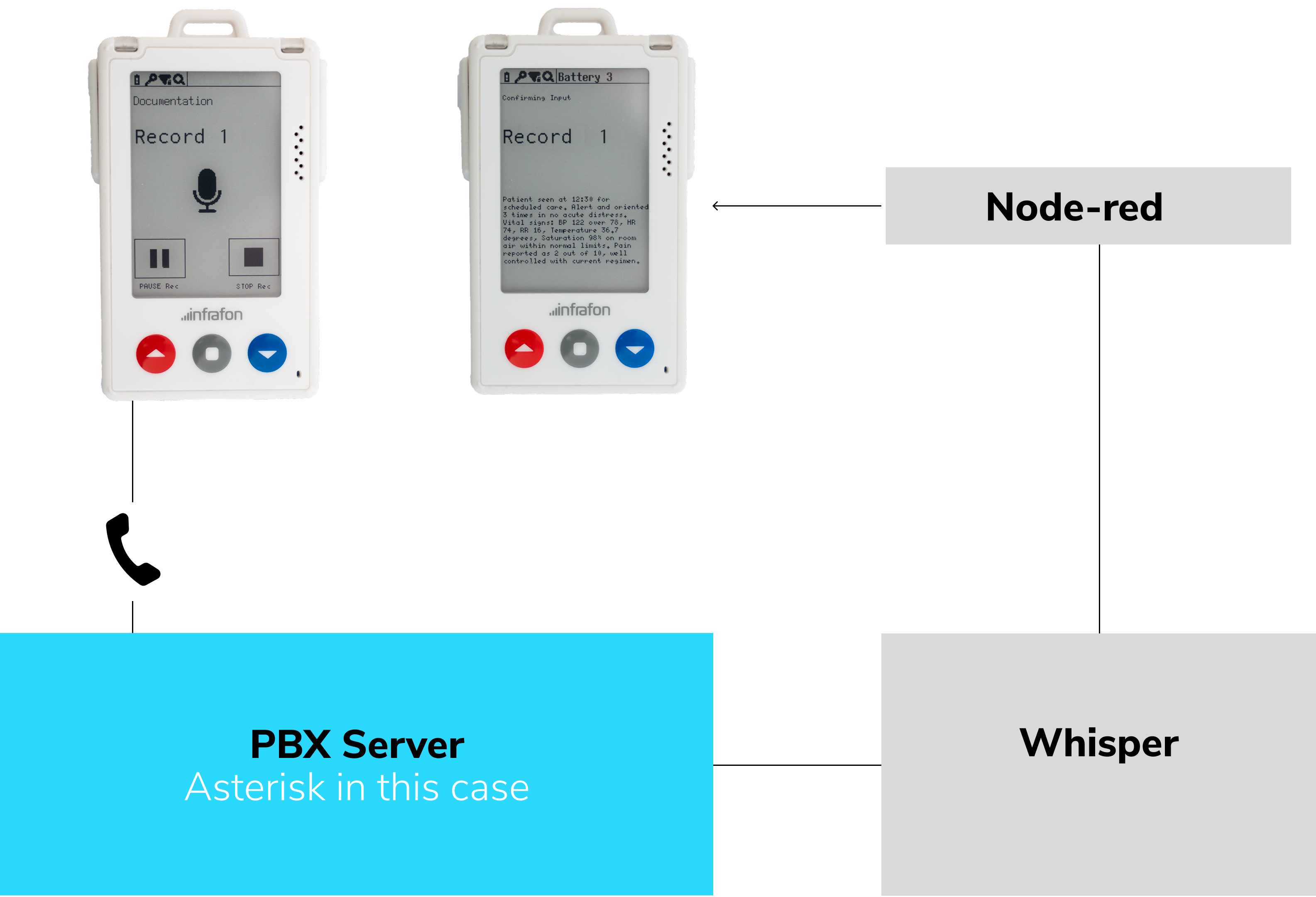
The recorded voice file has a decent quality. For the speech-to-text model we deployed a local whisper model, first a smaller version for a fast response which we then switched to a slightly larger one for higher accuracy. Between ending the call and recieving the text on the device it takes aproximateley 15 seconds.
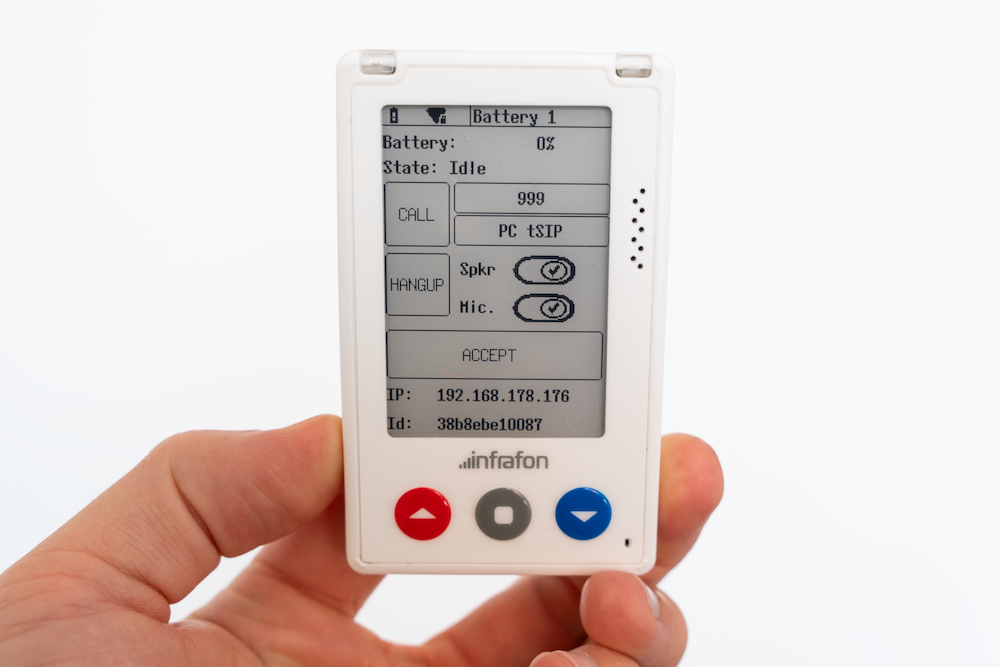
For our call dataview we tried to put every functionality inside one page. So there are sliders to control speaker and microphone as well as the dial button (999) where you can go trough multiple preselected numbers.
The message-list-dataview acts like a general message client for the CC2. It takes a single object or an array with the content, sender, subject, id etc. and renders the folders, overview and message page. The layouts are customizable to a point.
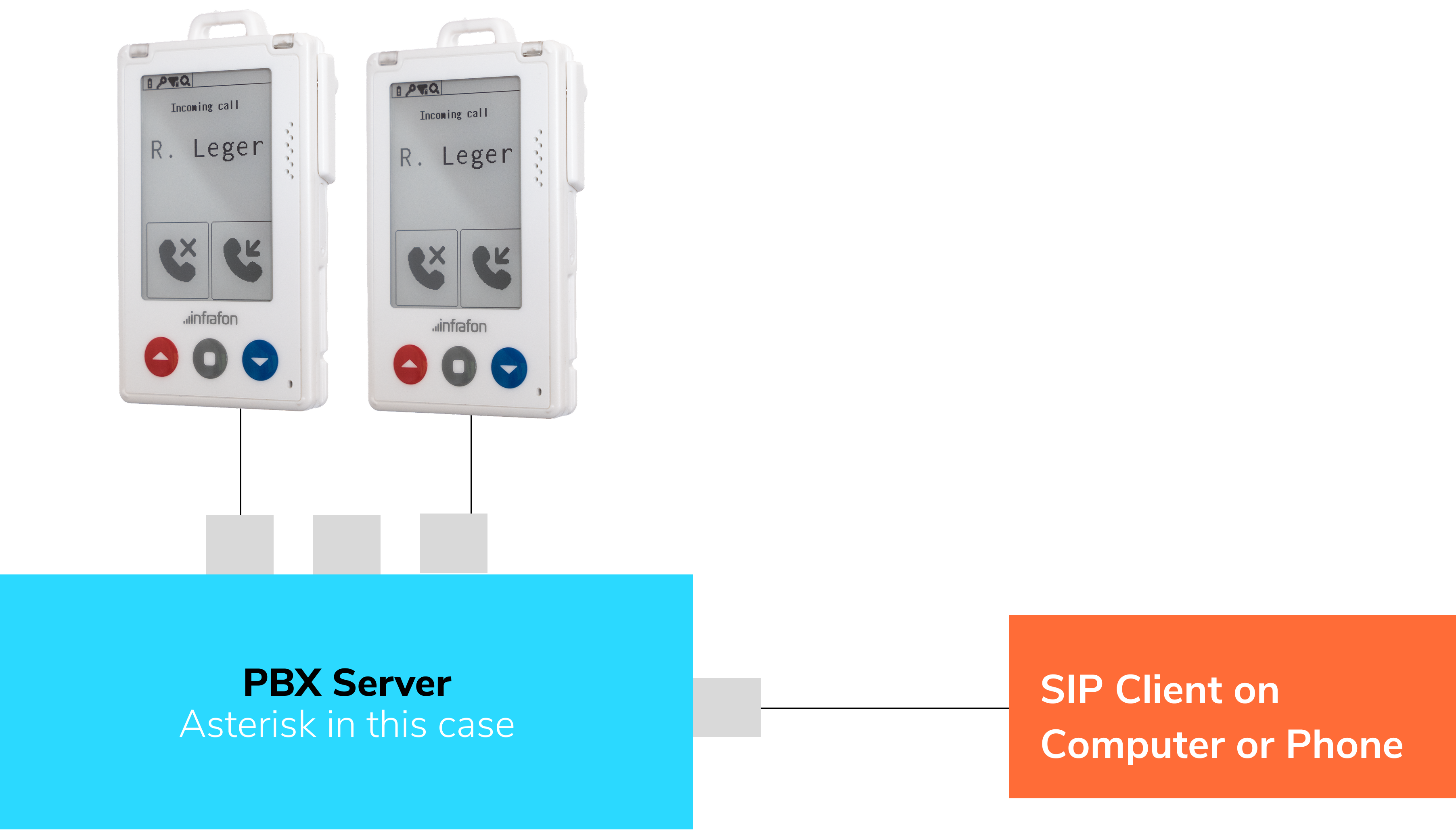
Unlike the messaging functions, voice calls don't need a translation bridge like Node-RED. The CC2 speaks SIP directly, so it registers - or connects anonymously - straight to a PBX server. We use Asterisk, the open source telephony platform, as that PBX: it handles call setup, audio routing, and the dialplan logic that decides where each call goes.
Messages are one of the most essential topics when it comes to communication devices. Creating an alert, receiving a E-mail, getting a text from a colleauge: It's all messages. Therfore we came up with the message-list-dataview:
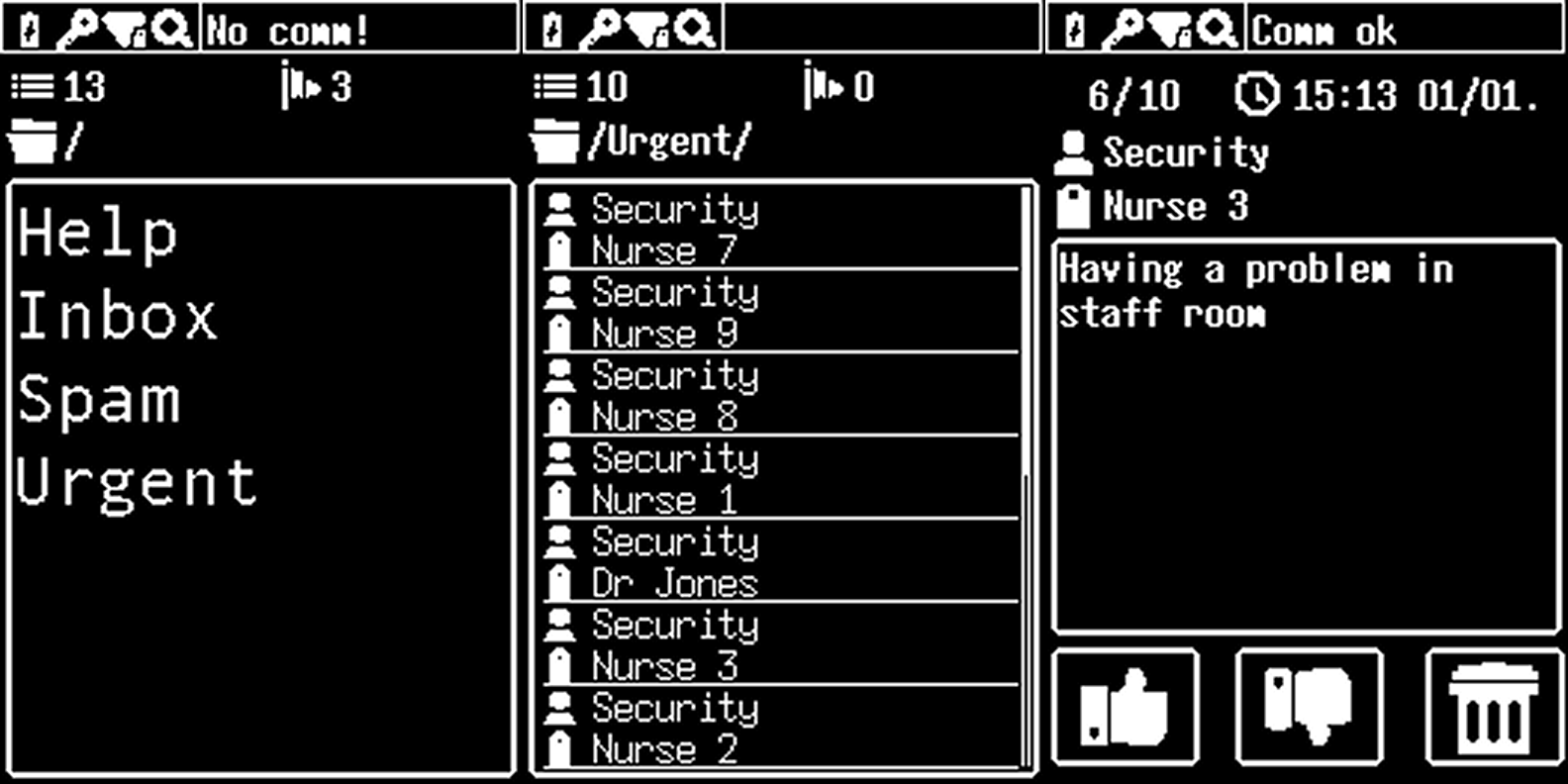
The message-list-dataview acts like a general message client for the CC2. It takes a single object or an array with the content, sender, subject, id etc. and renders the folders, overview and message page. The layouts are customizable to a point.
Instead of running the messenger client directly on the CC2, we want to use some middleware, that connects to the messenger server to transform and distribute messages to the message-list-dataview.
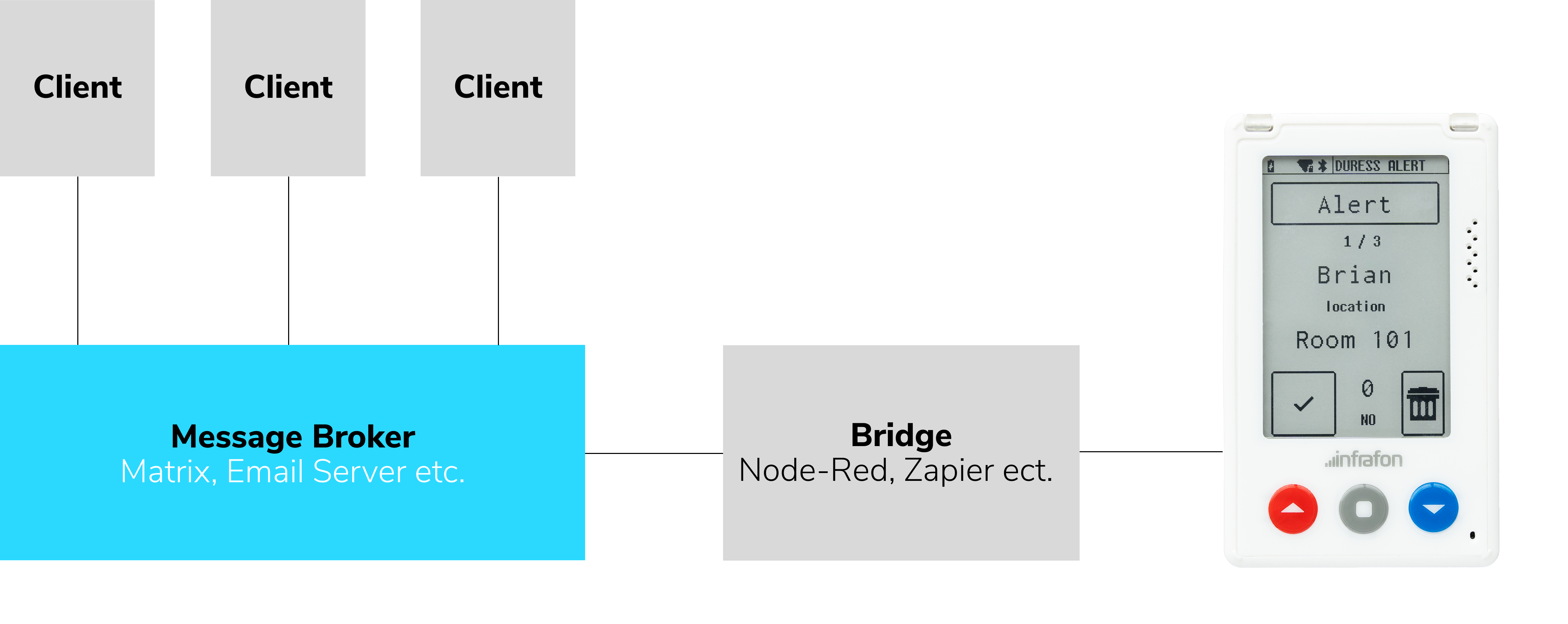
Using the open source Matrix Messenger for this use case gives us a lot of control over the setup. What we will do is create two users (one for the webclient and one for the CC2 essentially working as a bot)
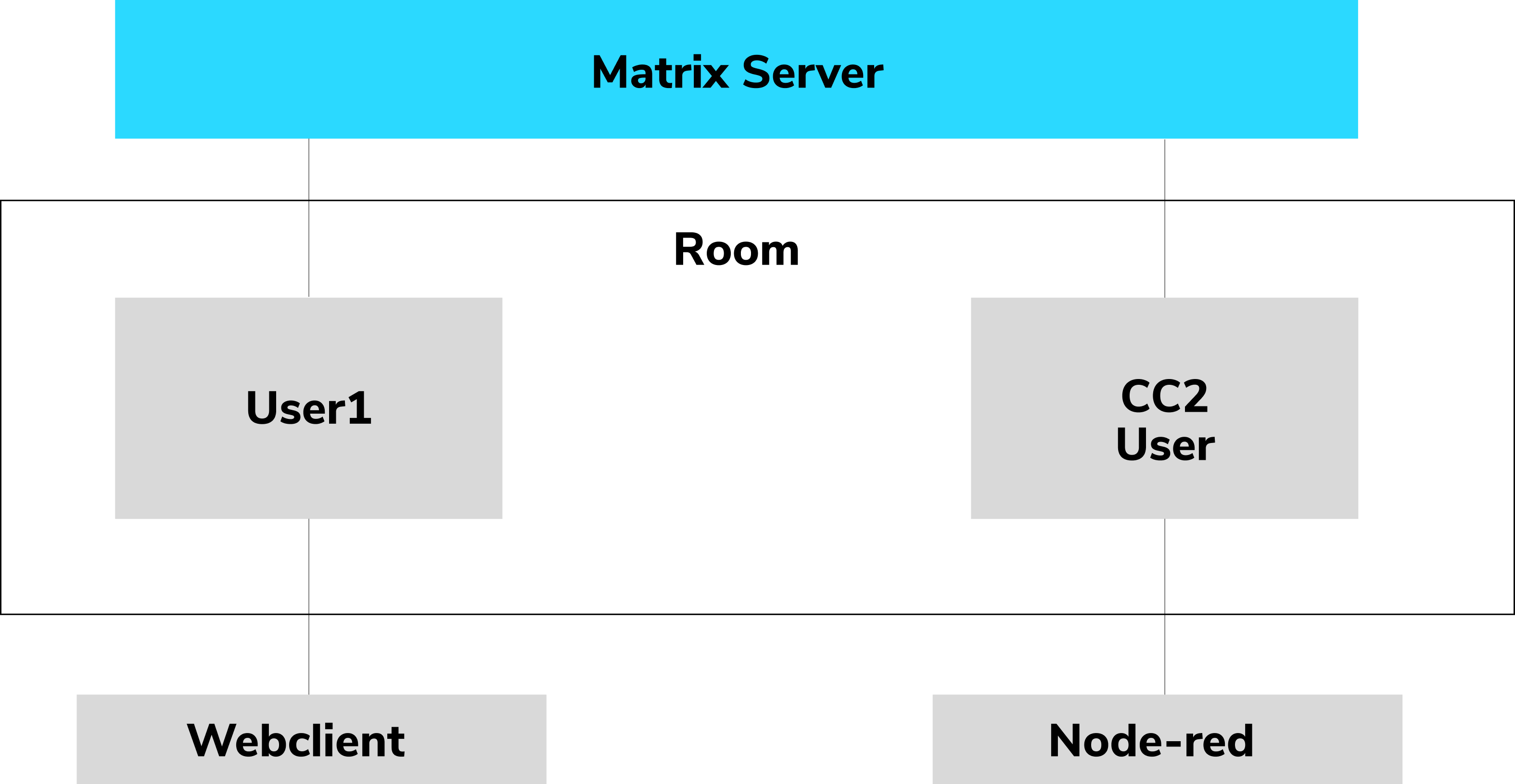
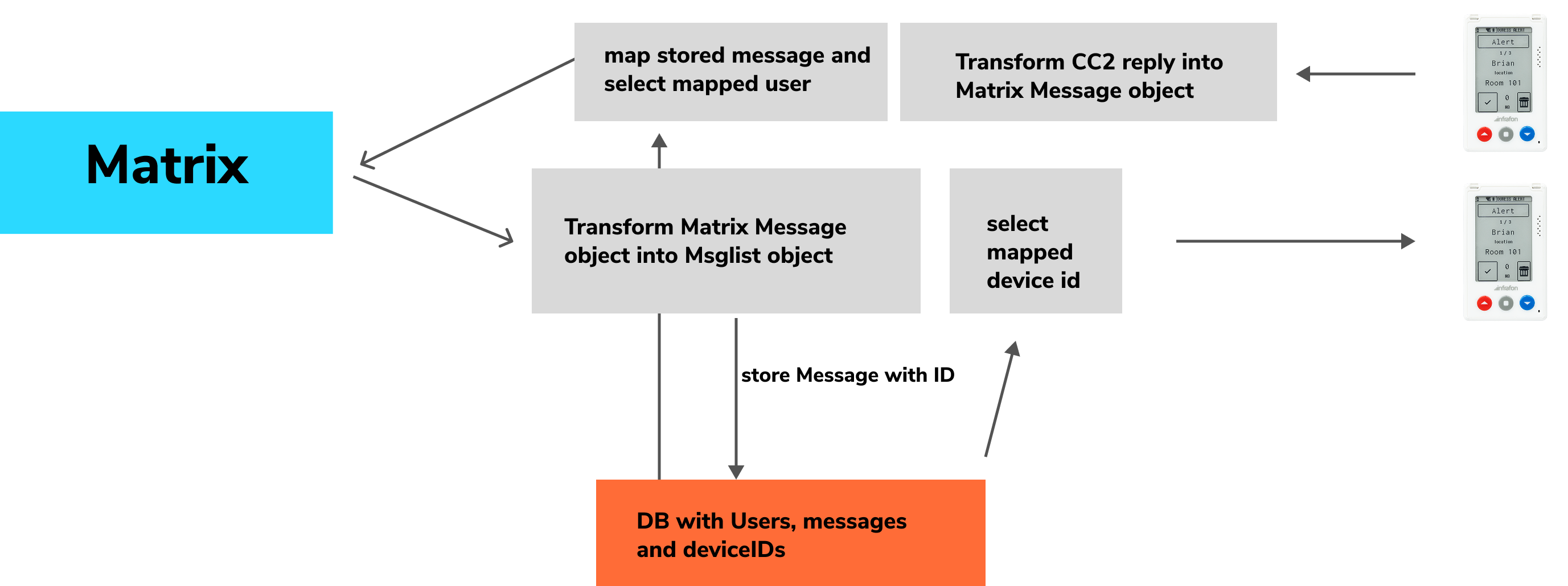
What the Node-Red bridge essentially needs to do is:
- transform/format the incoming message format
- keep track of messaging-, user- and device ids and mapping
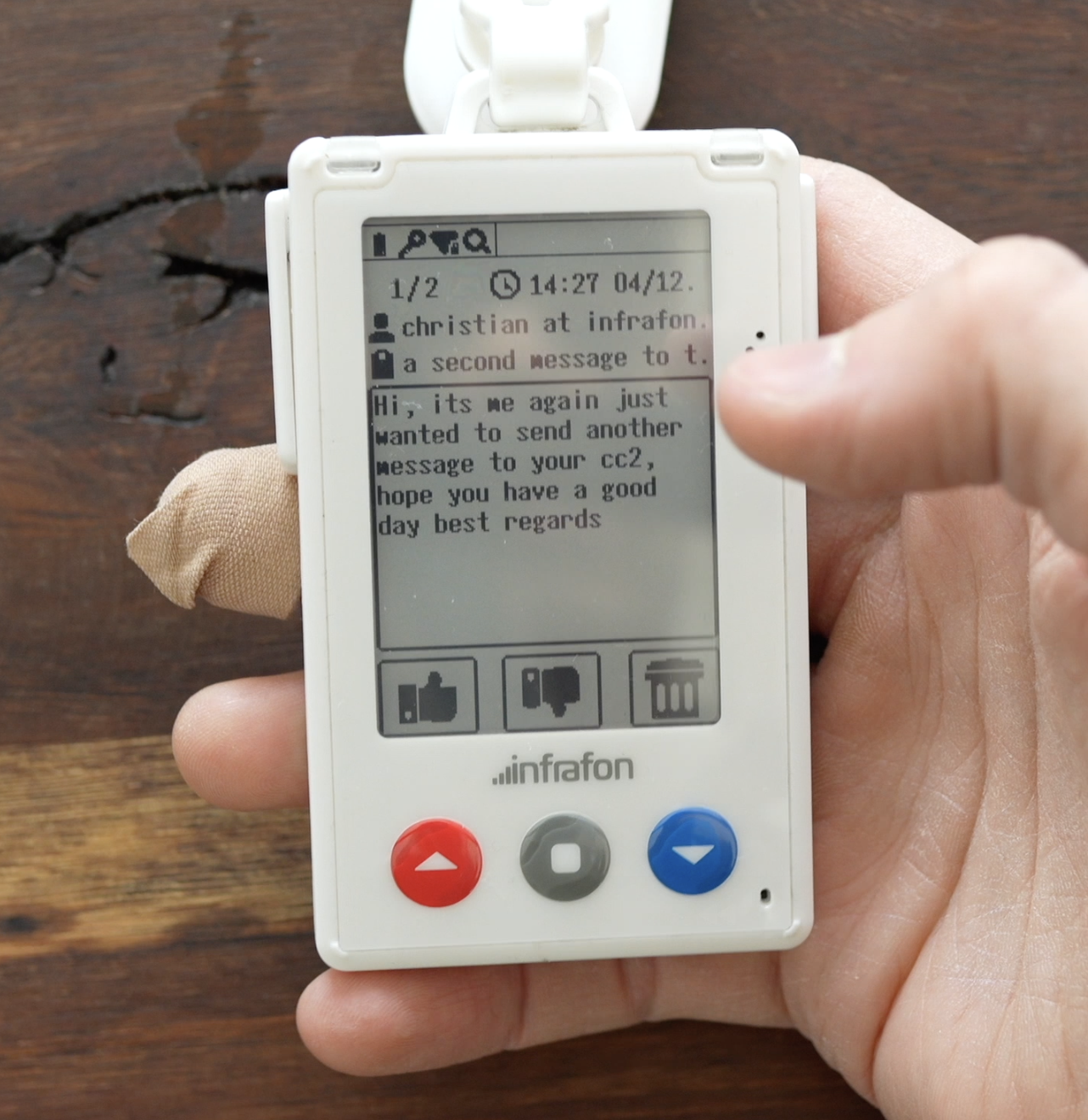
For using Email on the CC2 we are using again the message-list-dataview, which already comes with a folder structure e.g. for different Inboxes.
The message-list-dataview acts like a general message client for the CC2. It takes a single object or an array with the content, sender, subject, id etc. and renders the folders, overview and message page. The layouts are customizable to a point.
Instead of running the mail client directly on the CC2, we want to use some middleware, that connects to the server to transform and distribute Mails to and from the message-list-dataview.
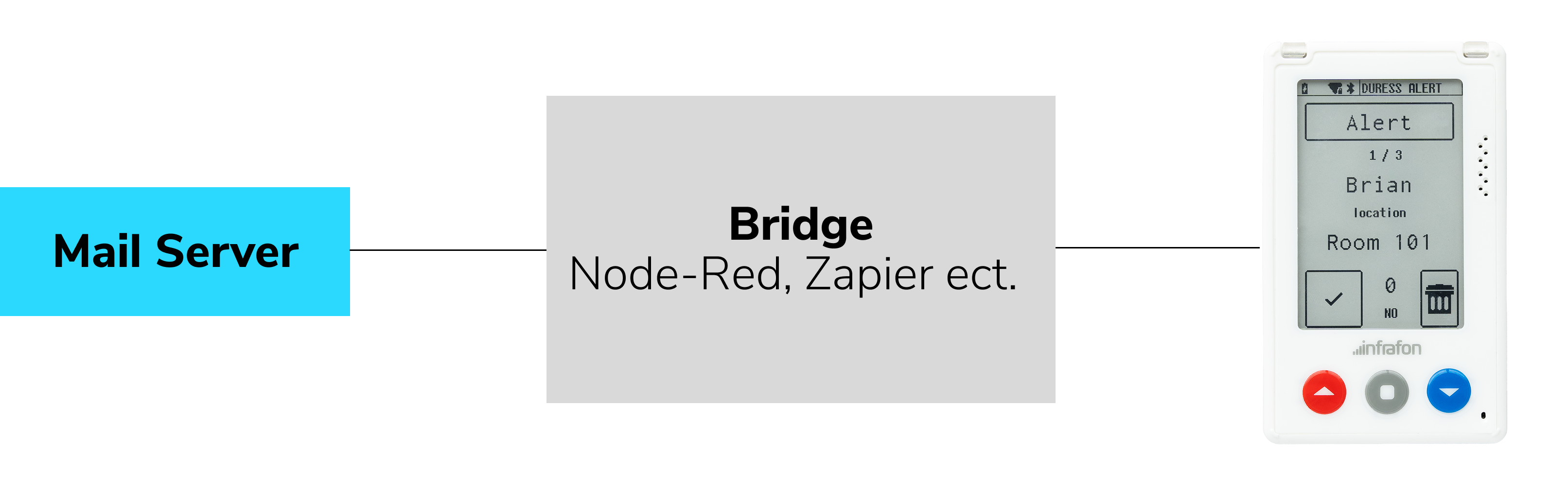
For this simple demonstration we will not worry about different devices and users but hardcode one E-mail account to a device. So all the Node-Red bridge essentially needs to do is:
- transform/format the incoming message into the required format
- transform non ASCI symbols and images/links
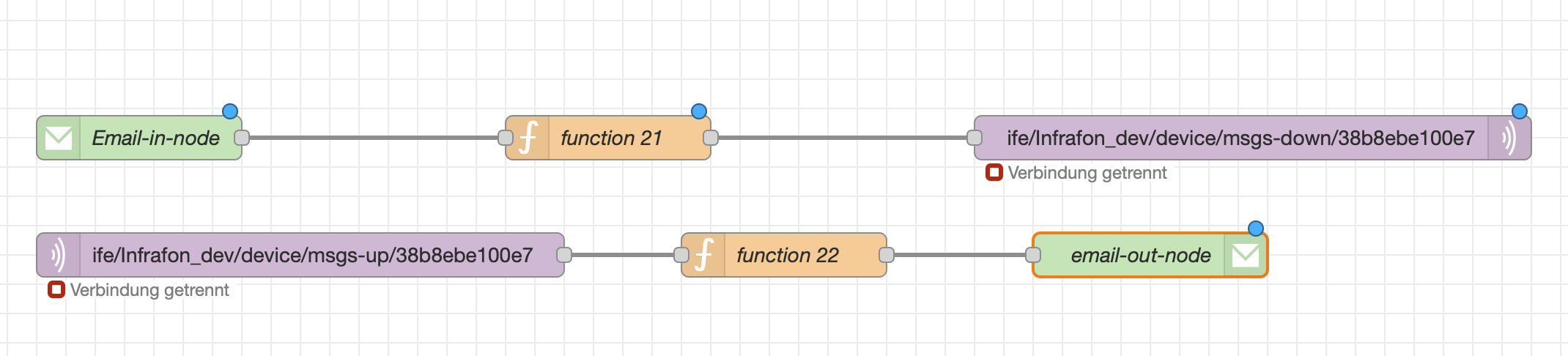
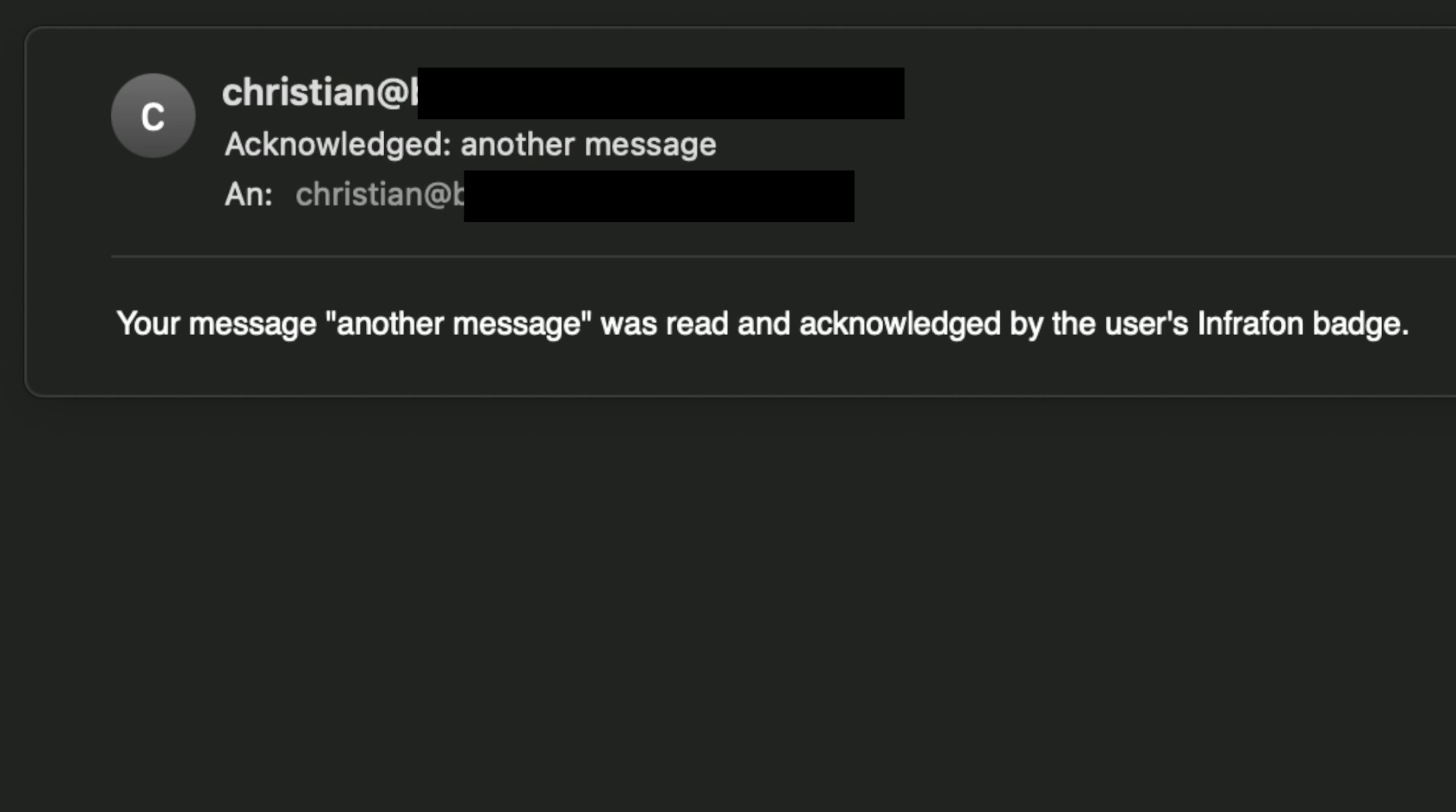
Using the Email node plugin, we can easily connect to the imap & smpt server of our provider. All left to do is store the Email IDs and transform the content into a ASCI only format fitting for the Message-List
With the CC2 smart badge you can emulate different smart cards. Opposite to a smart card, in a case of lost or stolen cards or when you want to allow temporary access, credentials created by the secret on the secure element can be turned on and off from the backend. Using MQTT commands and a very simple UI we are going to demo this using the NXP Desfire2 protocol.
For this very simple case, we will use the node-red UI to create two buttons: Grant access sends the command to enable the credential, deny access disables it.
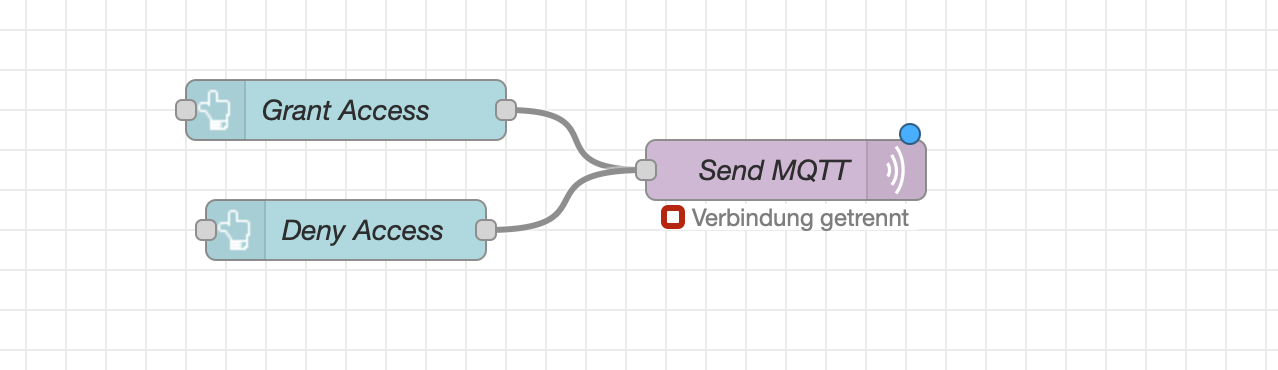
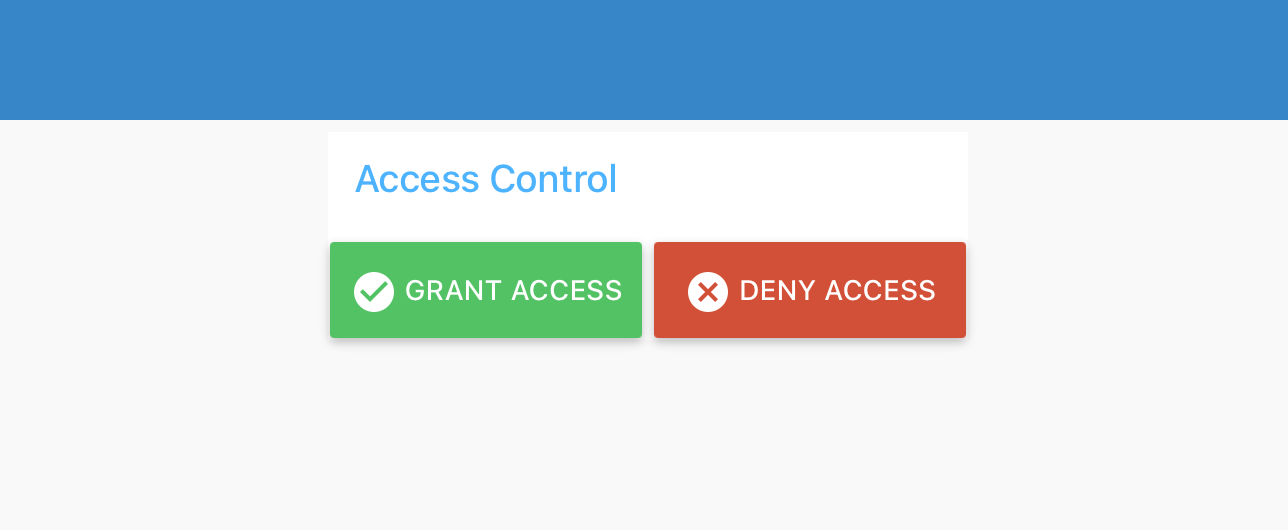
This is of course the most simplistic execution, this demo could be enhanced by creating a feedback UI on the device and e.g. a requesting mechanism.
With the CC2 smart badge you can emulate different smart cards. Opposite to a smart card, in a case of lost or stolen cards or when you want to allow temporary access, credentials created by the secret on the secure element can be turned on and off from the backend. Using MQTT commands and a very simple UI we are going to demo this using the NXP Desfire2 protocol.
For this very simple case, we will use the node-red UI to create two buttons: Grant access sends the command to enable the credential, deny access disables it.
This is of course the most simplistic execution, this demo could be enhanced by creating a feedback UI on the device and e.g. a requesting mechanism.
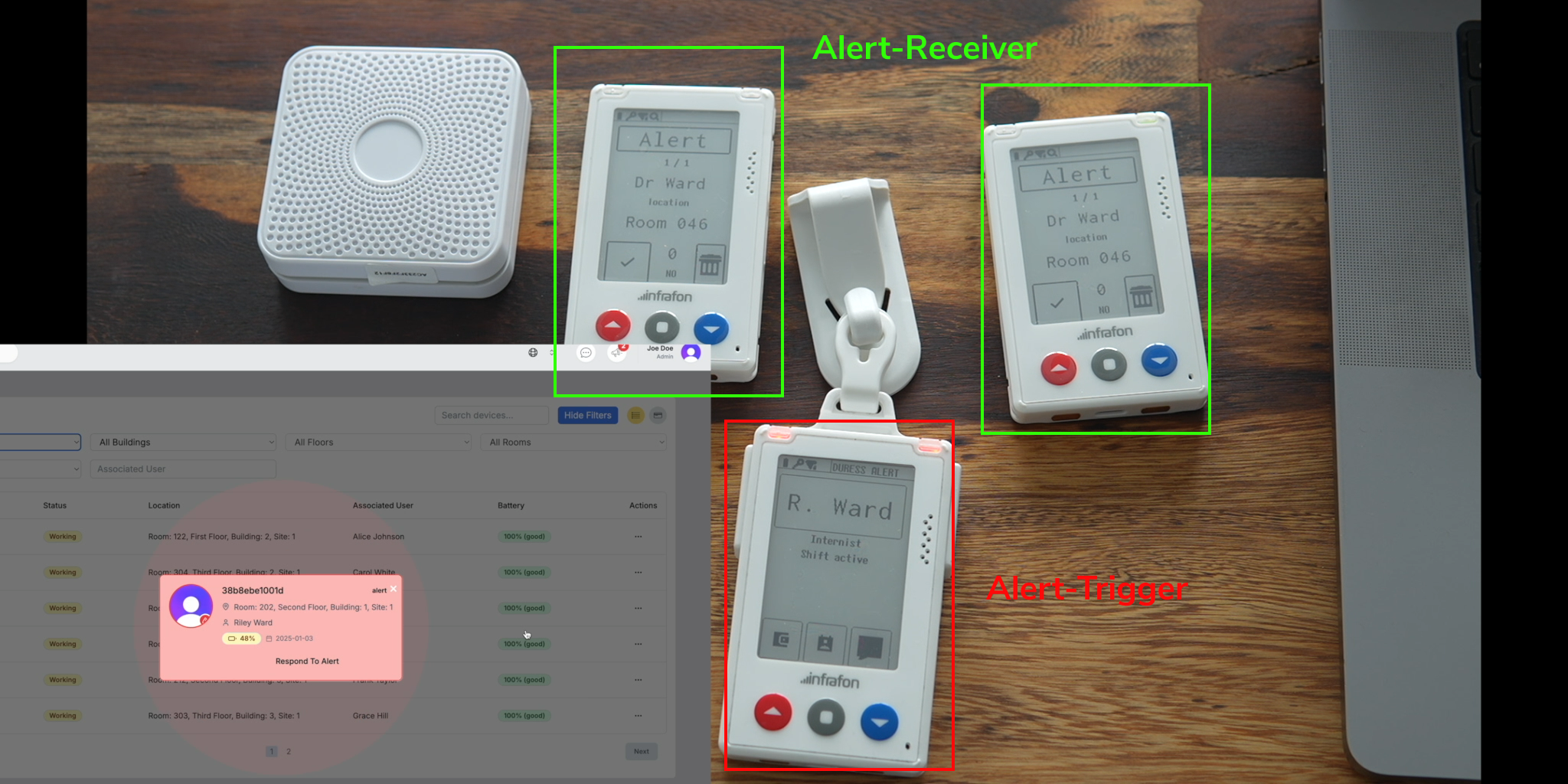
The Duress App is a fully functional application that registers user created alarms and informs (based on admin edited rules) other users of this event, which then can acknowledge or ignore that message.
The application records all user actions and stores them in log files.
The Duress Application is in comparison with the other demo cases not a rapid prototype but a self contained application running its one backend & database instance. It is connected to the IES and uses the APIs to fetch device data from the correct entity and for communication it is utilizing the MQTT server.
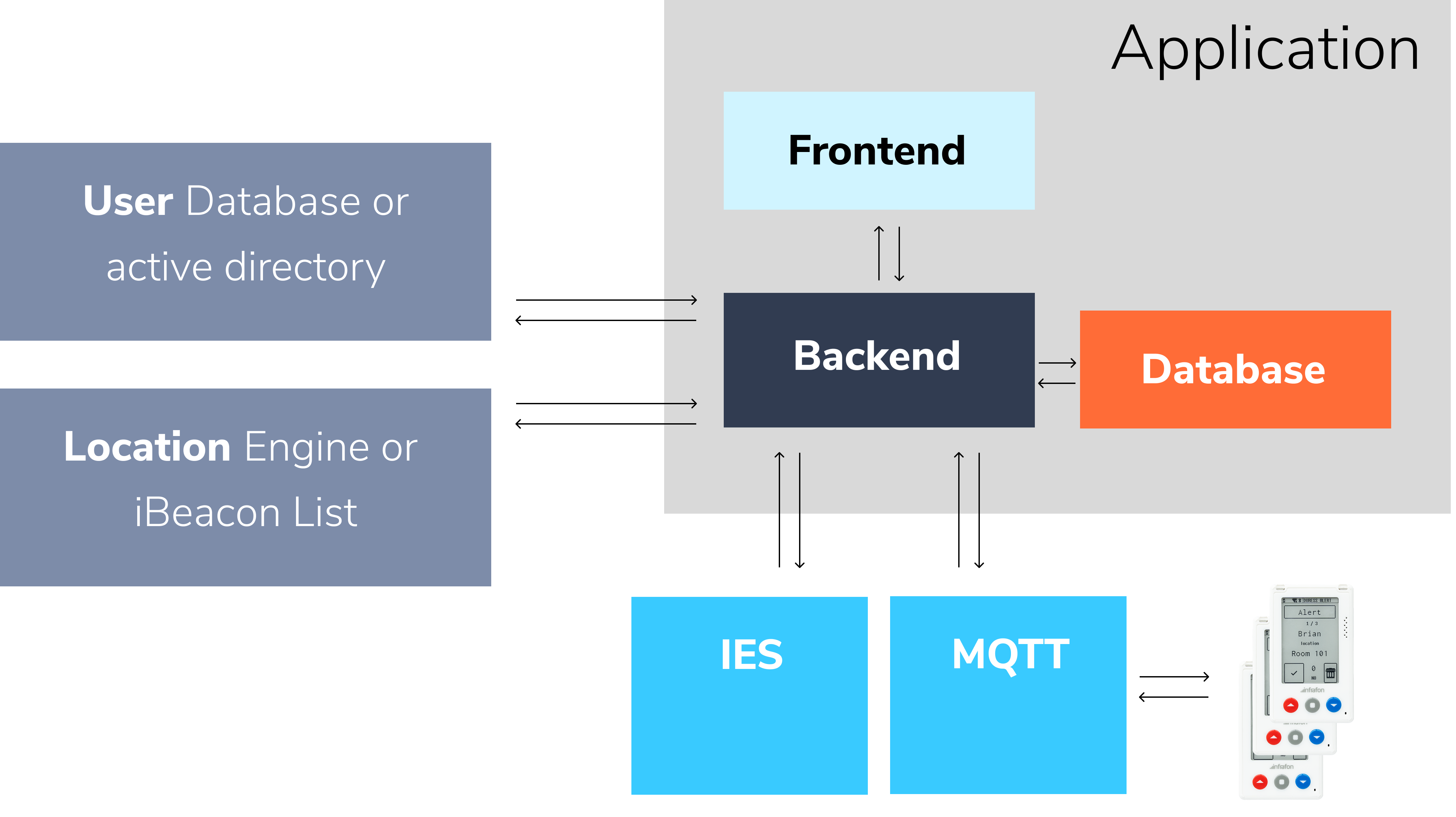
To get a (at least primitive) localization we can either connect a system like quppaa or another BLE/WiFi based localization engine or simply put in a table with ibeacon MAC adresses linked to room IDs. For User verification we can also connect an external database or a active directory.
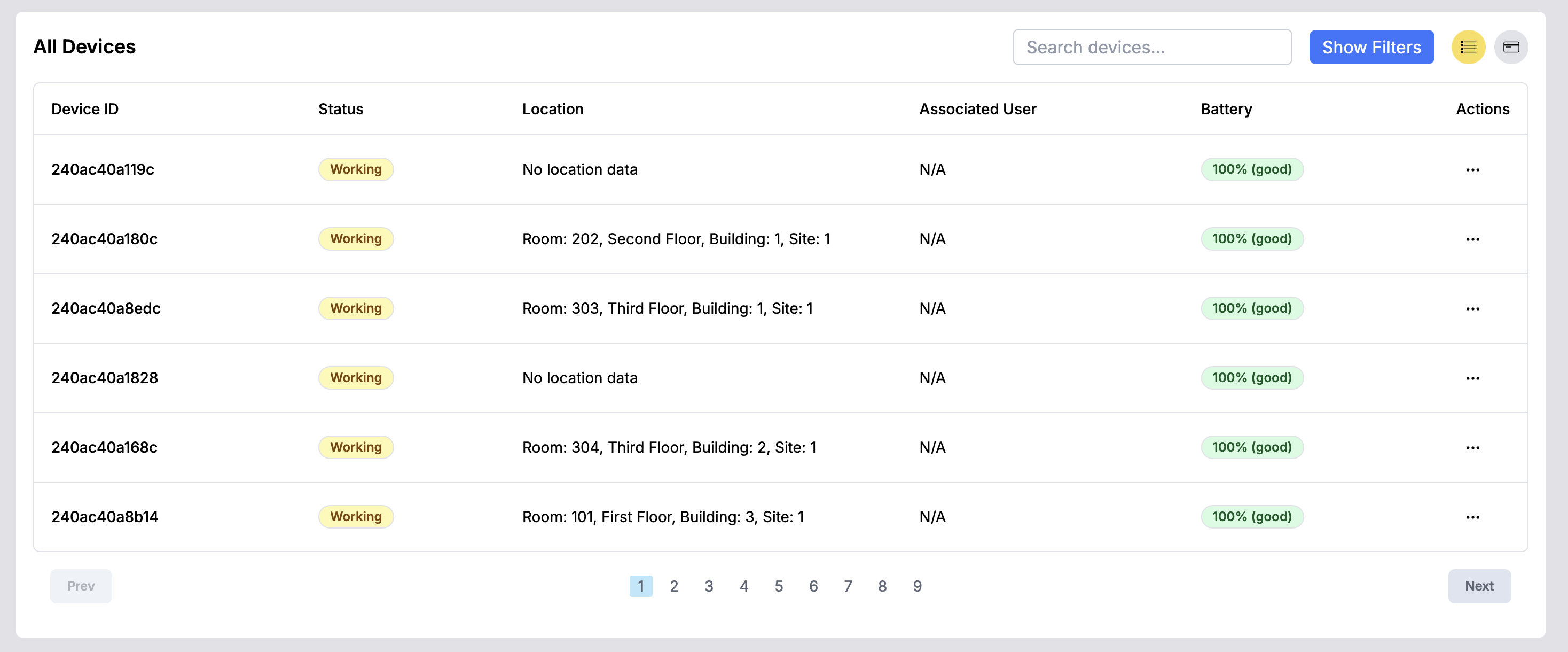
The frontend lets you manage and view the active devices with their status attributes.

In the settings you can edit the configuration e.g. the duration of the alarm or how many devices should be triggered.
The Medication App is a complete application focused on helping nurses and physicians to access medication requirements and to document it after administartion, so that admins have access to those logs.
This App is functional and quite extensive. Users can be added and allocated to devices, beacons can be created and linked to the patient with a prescription schedule. The application then creates an extensive log, that can be searched and filtered.
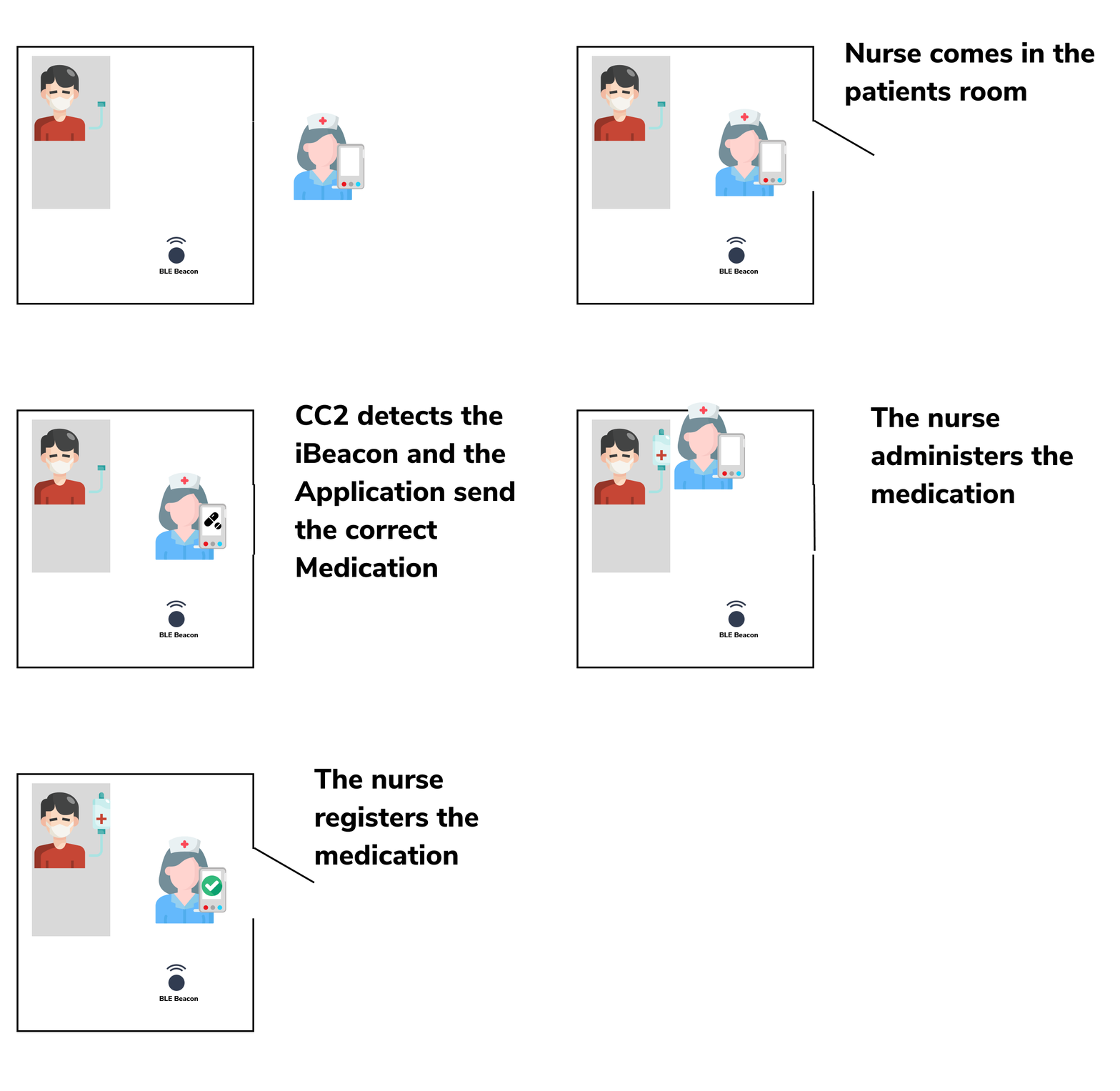
Users can be linked to devices, which then get updated(OTA) with the right Dataview and configuration using the IES (Allocation). Admins can also configure a set of ibeacons linked to a patient
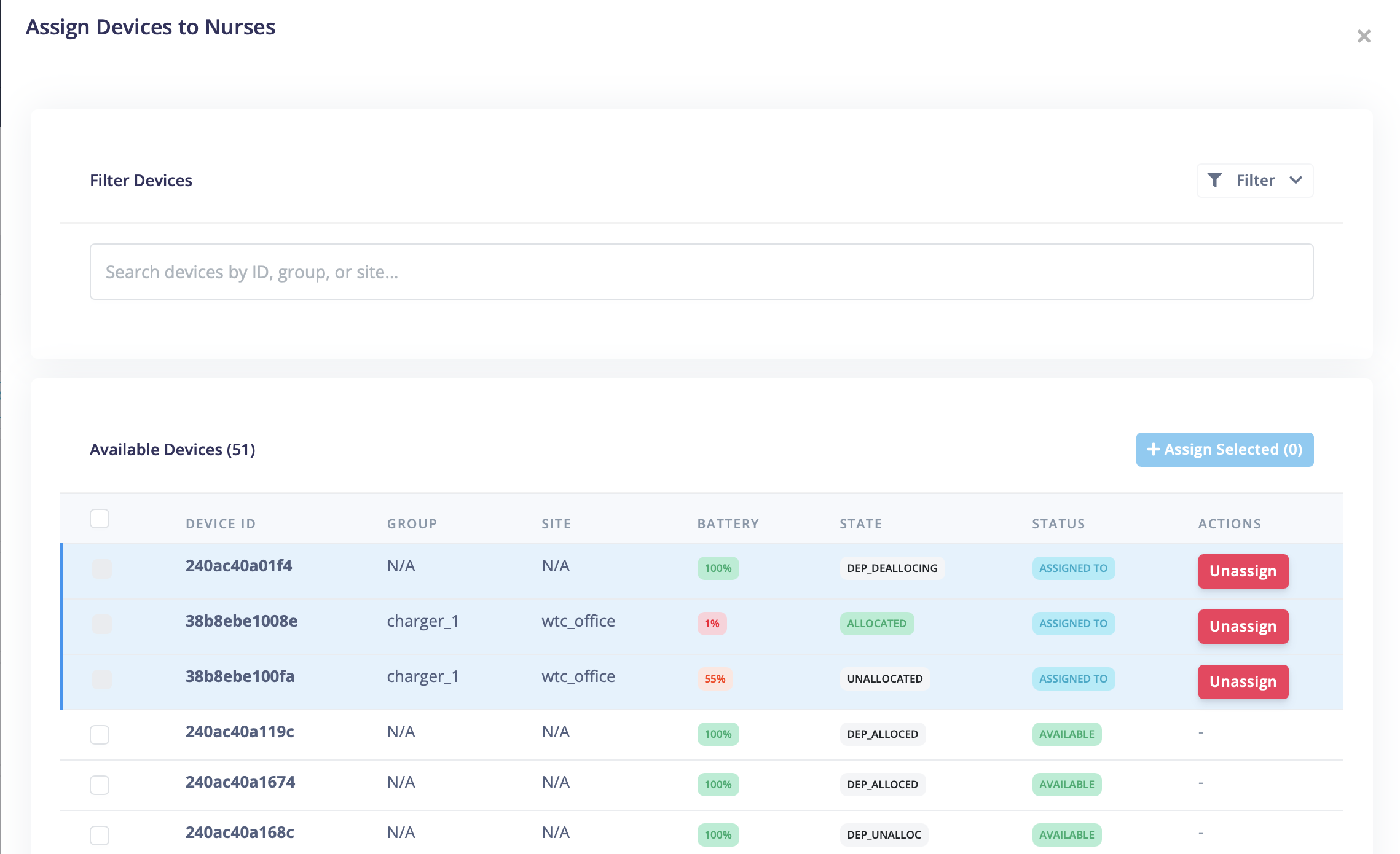
Devices are taken from the IES and can then be allocated to a user.
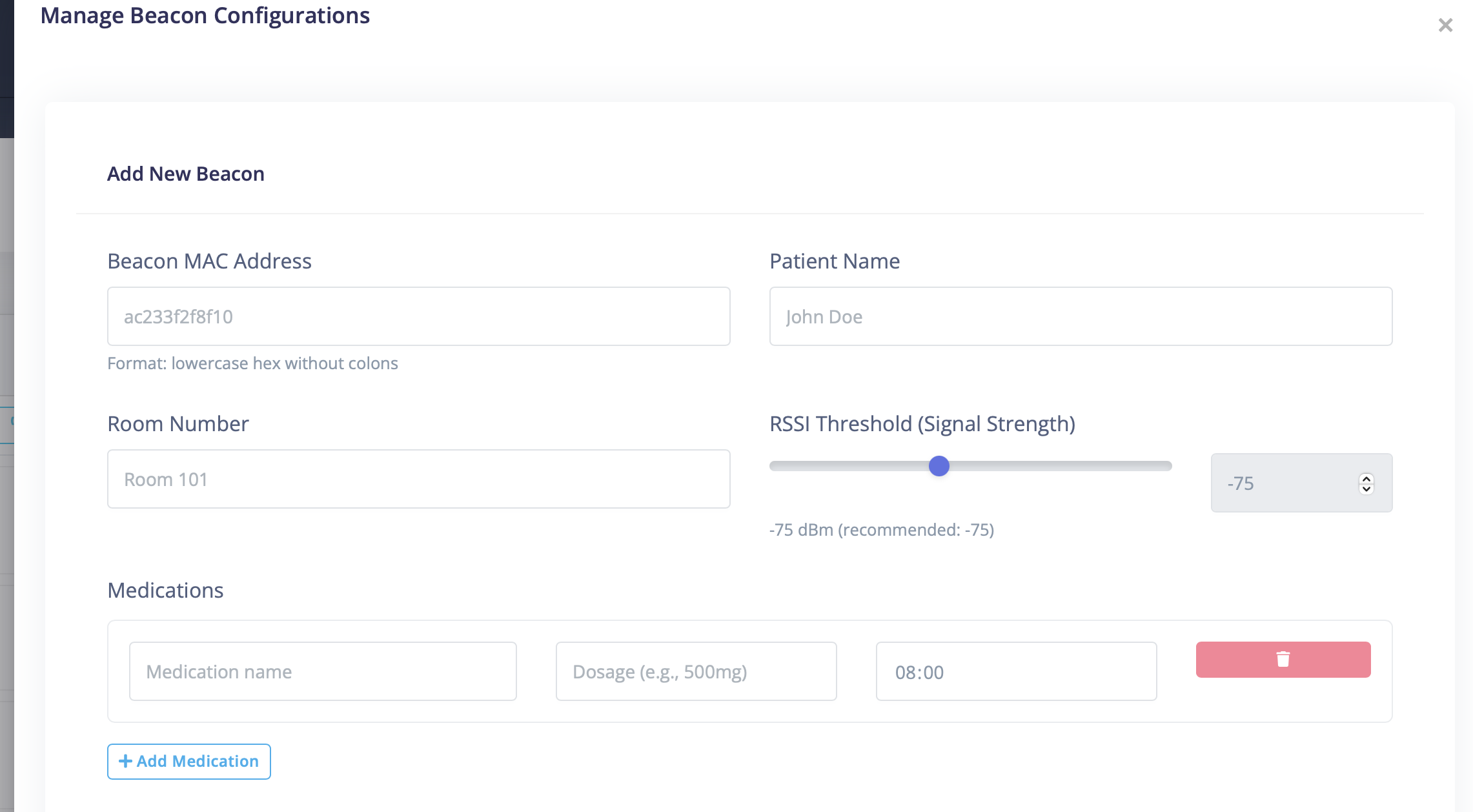
Beacons can just be added with a MAC address and then linked to a patient with a medication schedule.
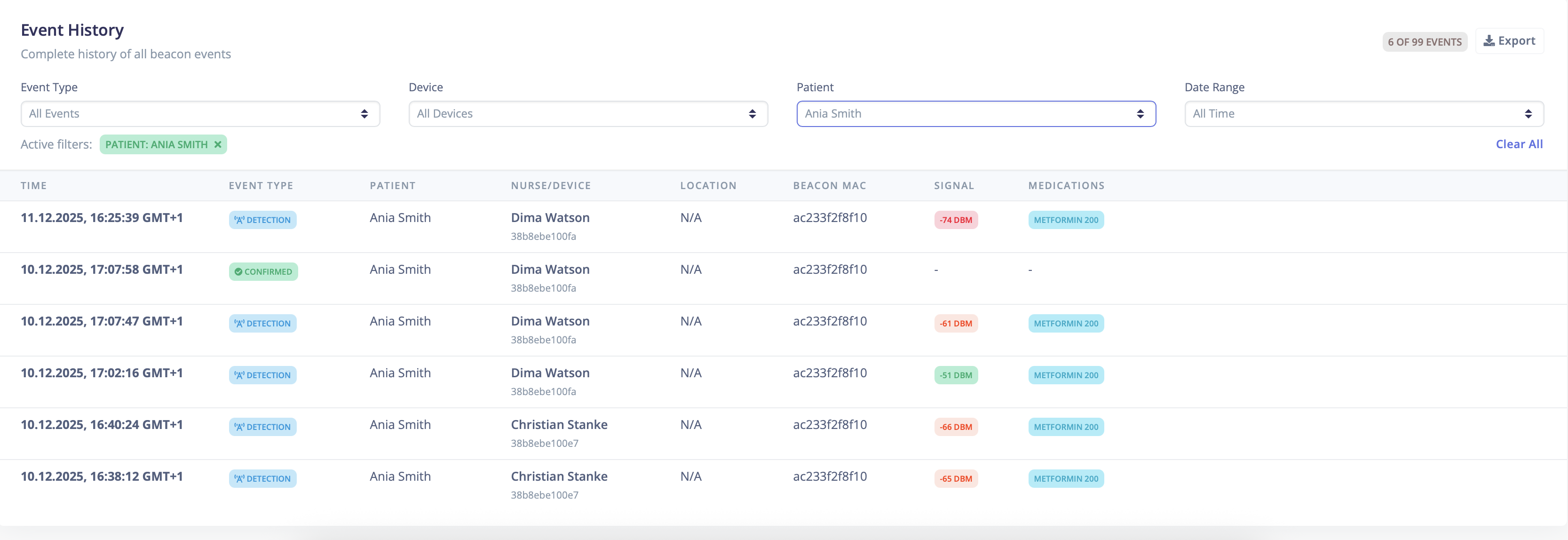
A complete log can be filtered and searched.


